Popular Posts
- Free Windows Vista DVD
- Safely Eject CD/DVD manually
- Free Linux Cds
- Free XBOX 360
- English keyboard to type in hindi
- Download IE 8 Beta
- Send Free Sms
Archives
- July 2006
- August 2006
- September 2006
- October 2006
- November 2006
- December 2006
- January 2007
- February 2007
- March 2007
- April 2007
- May 2007
- June 2007
- July 2007
- August 2007
- September 2007
- October 2007
- November 2007
- December 2007
- January 2008
- February 2008
- March 2008
- April 2008
- May 2008
- June 2008
- July 2008
- August 2008
- September 2008
- October 2008
- November 2008
- December 2008
- January 2009
- June 2011
Blogroll
Wednesday, October 15, 2008
Mozilla has officially announced the availability of the first Firefox 3.1 beta 1. Firefox 3.1 Beta 1 is available in over 35 languages as a public preview release intended for developer testing and community feedback. Firefox 3.1 Beta 1 includes new features. Download Firefox 3.1 beta 1 from here .
Tuesday, November 20, 2007
Firefox 3 Beta 1 is out

Firefox 3 Beta 1 is now available for download with new features and changes. New features are.
Improved security features such as: better presentation of website identity and security, malware protection, stricter SSL error pages, anti-virus integration in the download manager, and version checking for insecure plugins.
Improved ease of use through: better password management, easier add-on installation, new download manager with resumable downloading, full page zoom, animated tab strip, and better integration with Windows Vista and Mac OS X.
Richer personalization through: one-click bookmarking, smart search bookmark folders, direct typing in location bar searches your history and bookmarks for URLs and page titles, ability to register web applications as protocol handlers, and better customization of download actions for file types.
Improved platform features such as: new graphics and font rendering architecture, major changes to the HTML rendering engine to provide better CSS, float-, and table layout support, native web page form controls, colour profile management, and offline application support.
Performance improvements such as: better data reliability for user profiles, architectural improvements to speed up page rendering, over 300 memory leak fixes, and a new XPCOM cycle collector to reduce entire classes of leaks.
This beta is intended only for developers and tester so that they can play and report out any bug therein (if any) so that can be corrected before rolling out the final version of Firefox 3. Download FireFox 3 Beta 1Labels: Downloads, Internet/Web2.0, News

Firefox 3 Beta 1 is now available for download with new features and changes. New features are.
Improved security features such as: better presentation of website identity and security, malware protection, stricter SSL error pages, anti-virus integration in the download manager, and version checking for insecure plugins.
Improved ease of use through: better password management, easier add-on installation, new download manager with resumable downloading, full page zoom, animated tab strip, and better integration with Windows Vista and Mac OS X.
Richer personalization through: one-click bookmarking, smart search bookmark folders, direct typing in location bar searches your history and bookmarks for URLs and page titles, ability to register web applications as protocol handlers, and better customization of download actions for file types.
Improved platform features such as: new graphics and font rendering architecture, major changes to the HTML rendering engine to provide better CSS, float-, and table layout support, native web page form controls, colour profile management, and offline application support.
Performance improvements such as: better data reliability for user profiles, architectural improvements to speed up page rendering, over 300 memory leak fixes, and a new XPCOM cycle collector to reduce entire classes of leaks.
This beta is intended only for developers and tester so that they can play and report out any bug therein (if any) so that can be corrected before rolling out the final version of Firefox 3. Download FireFox 3 Beta 1
Labels: Downloads, Internet/Web2.0, News
Monday, October 08, 2007
Microsoft Office Mac 2008 packaging revealed

Microsoft has revealed the packaging of upcoming Office for Mac 2008. The box looks nice. Preview Office Mac 2008 here.

Source : istartedsomething

Microsoft has revealed the packaging of upcoming Office for Mac 2008. The box looks nice. Preview Office Mac 2008 here.

Source : istartedsomething
Saturday, September 29, 2007
LaCie Golden disk, to Jazz up your desktop
You would love the mew LaCie Golden disk, a 500 gigabyte external hard drive. This 1.5 inch-thick hard drive looks like a gold ingot, weighs only 32 ounces. LaCie hired the French designer Ora-Ito to create this $189 slab that, with its wrapped top panel, look like it is still in a liquid state. It connects to a computer through USB cable.
The drive is driver free and quiet in operation because it has no fan, spins at 7200 rpm and can transfer data at about 480 megabits a second, about the speed at which many drives of this size perform. The Golden Disk is compatible with Macs and PCs includes automatic back-up software. LaCie Golden disk will be available in late October.Labels: News
You would love the mew LaCie Golden disk, a 500 gigabyte external hard drive. This 1.5 inch-thick hard drive looks like a gold ingot, weighs only 32 ounces. LaCie hired the French designer Ora-Ito to create this $189 slab that, with its wrapped top panel, look like it is still in a liquid state. It connects to a computer through USB cable.The drive is driver free and quiet in operation because it has no fan, spins at 7200 rpm and can transfer data at about 480 megabits a second, about the speed at which many drives of this size perform. The Golden Disk is compatible with Macs and PCs includes automatic back-up software. LaCie Golden disk will be available in late October.
Labels: News
Monday, August 06, 2007
Google is working to produce its own brand mobile phone!!!
Reports from various sources suggest that the web giant (Google) is developing a series of "GPhones", centered on its mobile services, such as search, e-mail and maps which would enable a cell user to utilize the full potential of the networks.
Google, In a statement, said it was working with carriers, phone makers and content providers to "bring its services to users everywhere". It also said that "What our users and partners are telling us is that they want Google search and Google applications on mobile, and we are working hard every day to deliver that."
Google has partnered with Apple to produce services, such as e-mail and maps, for its iPhone handset. Eric Schmidt, Google's chief executive, said recently that more Google services for the iPhone would be rolled out.
Reports have circulated since last year that Google was working with mobile phone manufacturers to produce a handset. The Wall Street Journal on Thursday said Google had invested "hundreds of millions of dollars" in the project and was involved in discussions with T-Mobile USA and Verizon Wireless. The newspaper said the company was seeking to grab a bigger slice of the increasingly important mobile phone advertising market. Market research firm eMarketer told the paper that the mobile ad industry would be worth $14bn (£7bn) by 2011.
Last month, Google said it was interested in bidding for wireless spectrum licenses in the US, which could be the first step towards running its own mobile network. Google said its interest was in ensuring that customers would be able to buy any mobile device to connect to the full capability of the internet. At present, wireless carriers routinely try to restrict which models of cell phones that can be used on their networks. They also often limit the software that can be downloaded onto them, such as ring tones, music or web browser software.
Reports from various sources suggest that the web giant (Google) is developing a series of "GPhones", centered on its mobile services, such as search, e-mail and maps which would enable a cell user to utilize the full potential of the networks.Google, In a statement, said it was working with carriers, phone makers and content providers to "bring its services to users everywhere". It also said that "What our users and partners are telling us is that they want Google search and Google applications on mobile, and we are working hard every day to deliver that."
Google has partnered with Apple to produce services, such as e-mail and maps, for its iPhone handset. Eric Schmidt, Google's chief executive, said recently that more Google services for the iPhone would be rolled out.
Reports have circulated since last year that Google was working with mobile phone manufacturers to produce a handset. The Wall Street Journal on Thursday said Google had invested "hundreds of millions of dollars" in the project and was involved in discussions with T-Mobile USA and Verizon Wireless. The newspaper said the company was seeking to grab a bigger slice of the increasingly important mobile phone advertising market. Market research firm eMarketer told the paper that the mobile ad industry would be worth $14bn (£7bn) by 2011.
Last month, Google said it was interested in bidding for wireless spectrum licenses in the US, which could be the first step towards running its own mobile network. Google said its interest was in ensuring that customers would be able to buy any mobile device to connect to the full capability of the internet. At present, wireless carriers routinely try to restrict which models of cell phones that can be used on their networks. They also often limit the software that can be downloaded onto them, such as ring tones, music or web browser software.

Friday, June 22, 2007
Is this the end of road for Hard Disk Drive ?

This might well be the beginning of the end for the hard disk drive. In May, Dell became the first manufacturer to market a laptop using flash memory instead of a hard drive and other manufacturers will be joining the company before the year's end with Solid State technology (SSD) of their own. This is a very good news for users.
Hard drives use "ferromagnetic" storage media to record data. The surface of special metal plates is magnetised. On the other hand Solid State Disk works purely digitally. The fundamental difference between Solid State Disk and its other flash storage and Hard Disk drive lies in the fact that flash technology has no moving parts. Solid State Disk is already in use in cell phones and MP3 players.
Related Posts : Why there is no b drive in Computer \ See how your Hard disk works ?Labels: News, Technology

This might well be the beginning of the end for the hard disk drive. In May, Dell became the first manufacturer to market a laptop using flash memory instead of a hard drive and other manufacturers will be joining the company before the year's end with Solid State technology (SSD) of their own. This is a very good news for users.
Hard drives use "ferromagnetic" storage media to record data. The surface of special metal plates is magnetised. On the other hand Solid State Disk works purely digitally. The fundamental difference between Solid State Disk and its other flash storage and Hard Disk drive lies in the fact that flash technology has no moving parts. Solid State Disk is already in use in cell phones and MP3 players.
Related Posts : Why there is no b drive in Computer \ See how your Hard disk works ?
Labels: News, Technology
Monday, June 18, 2007
Sony Ericsson unveiled Walkman series phones W910 and W960i

“Market enthusiasm for the Walkman phone range has far outshone even our own expectations,” says Miles Flint, Sony Ericsson President. Sony Ericsson has announced two new addition to its Walkman series- Sony Ericsson W910 and W960 that claim to be capable of redefining music on your mobile phone.
Sony Ericsson Walkman Phone W910:
The W910 is an HSDPA Walkman phone that is designed for entertainment; whether music, 3D games, video, or high-speed Web access. It’s also geared to let you choose your music, your way. Select Shake control and just flick the phone to control games or skip and shuffle between tracks. Or opt for SensMe and discover music to match your mood and tempo.

Sony Ericsson Walkman Phone W960i:
A potent combination of slim UMTS phone and high performance media player, the W960 Walkman phone packs enough punch for up to 8,000 songs and includes a Walkman player for finger-touch navigation around playlists on the large screen. The 2.6” display serves as an excellent viewfinder for a 3.2 megapixel camera and as a widescreen for watching video in TV quality.

Labels: Mobile Phones, News

“Market enthusiasm for the Walkman phone range has far outshone even our own expectations,” says Miles Flint, Sony Ericsson President. Sony Ericsson has announced two new addition to its Walkman series- Sony Ericsson W910 and W960 that claim to be capable of redefining music on your mobile phone.
Sony Ericsson Walkman Phone W910:
The W910 is an HSDPA Walkman phone that is designed for entertainment; whether music, 3D games, video, or high-speed Web access. It’s also geared to let you choose your music, your way. Select Shake control and just flick the phone to control games or skip and shuffle between tracks. Or opt for SensMe and discover music to match your mood and tempo.


Sony Ericsson Walkman Phone W960i:
A potent combination of slim UMTS phone and high performance media player, the W960 Walkman phone packs enough punch for up to 8,000 songs and includes a Walkman player for finger-touch navigation around playlists on the large screen. The 2.6” display serves as an excellent viewfinder for a 3.2 megapixel camera and as a widescreen for watching video in TV quality.


Labels: Mobile Phones, News
Friday, June 15, 2007
Technology unplugged: Experts beam electricity without wires

Scientists have sounded the death knell for the plug and power lead. In a breakthrough that sounds like something out of 'StarTrek', they have discovered a way of beaming power across a room into a light bulb, mobile phone or laptop computer without wires or cables. In first successful trial of its kind, the team was able to illuminate a 60 watt light bulb 7ft away.
The team from from Massachusetts Institute of Technology, who call their invention "WiTricity", believe it could change the way we use electricity and do away with the tangle of cables, plugs and chargers that clutter modern homes. It could also allow the use of laptops and mobile phones without batteries.
The inspiration came when the lead researcher, Marin Soljacic, was standing in his kitchen at night staring at his mobile phone. "It was probably the sixth time that month that I was awakened by my cell phone beeping to let me know that I had forgotten to charge it. It occurred to me that it would be so great if the thing took care of its own charging" he said. To turn this dream into reality. Soljacic needed a way of transmitting power wirelessly. Scientists have known for nearly two centuries that it is possible to transfer an electrical current from one coil of wire to another without them touching.
The phenomenon, called electromagnetic induction, is used in power transformers and electric motors around the world. However, the coils in motors and transformers have to be close for power to pass from one to another. Attempting to transfer power over distances is impossible.
The breakthrough came when Soljacic realised there was another way of transferring energy through the air. Rather than sending power from transmitter to a receiver as a conventional electromagnetic wave the same form of radiation as light, radio waves and microwaves he could use the transmitter to fill a room with a "non-radiative" electromagnetic field.
Most objects in the room - such as people, desks and carpets- would be unaffected by the electromagnetic field. But any objects designed to resonate with the electromagnetic field would absorb the energy. It sounds complicated, but the result demonstrated by the American team this month was a dramatic success. Using two coils of copper, the team transmitted power 7ft through the air to a light bulb which lit up instantly.
The Scientists say the technique works only over distances of up to 9ft. However, they believe it could be used to charge up a battery within a few yards of the power source connected to a receiving coil. Placing one source in each room could provide enough power for an entire house. The receiver and transmitter would not have to be in view of each other.
The researchers believe there is little to worry about on safety grounds. saying that magnetic fields interact weakly with living organisms and are unlikely to have any serious side effects. [Article Source: Times of India]Labels: News, Technology

Scientists have sounded the death knell for the plug and power lead. In a breakthrough that sounds like something out of 'StarTrek', they have discovered a way of beaming power across a room into a light bulb, mobile phone or laptop computer without wires or cables. In first successful trial of its kind, the team was able to illuminate a 60 watt light bulb 7ft away.
The team from from Massachusetts Institute of Technology, who call their invention "WiTricity", believe it could change the way we use electricity and do away with the tangle of cables, plugs and chargers that clutter modern homes. It could also allow the use of laptops and mobile phones without batteries.
The inspiration came when the lead researcher, Marin Soljacic, was standing in his kitchen at night staring at his mobile phone. "It was probably the sixth time that month that I was awakened by my cell phone beeping to let me know that I had forgotten to charge it. It occurred to me that it would be so great if the thing took care of its own charging" he said. To turn this dream into reality. Soljacic needed a way of transmitting power wirelessly. Scientists have known for nearly two centuries that it is possible to transfer an electrical current from one coil of wire to another without them touching.
The phenomenon, called electromagnetic induction, is used in power transformers and electric motors around the world. However, the coils in motors and transformers have to be close for power to pass from one to another. Attempting to transfer power over distances is impossible.
The breakthrough came when Soljacic realised there was another way of transferring energy through the air. Rather than sending power from transmitter to a receiver as a conventional electromagnetic wave the same form of radiation as light, radio waves and microwaves he could use the transmitter to fill a room with a "non-radiative" electromagnetic field.
Most objects in the room - such as people, desks and carpets- would be unaffected by the electromagnetic field. But any objects designed to resonate with the electromagnetic field would absorb the energy. It sounds complicated, but the result demonstrated by the American team this month was a dramatic success. Using two coils of copper, the team transmitted power 7ft through the air to a light bulb which lit up instantly.
The Scientists say the technique works only over distances of up to 9ft. However, they believe it could be used to charge up a battery within a few yards of the power source connected to a receiving coil. Placing one source in each room could provide enough power for an entire house. The receiver and transmitter would not have to be in view of each other.
The researchers believe there is little to worry about on safety grounds. saying that magnetic fields interact weakly with living organisms and are unlikely to have any serious side effects. [Article Source: Times of India]
The team from from Massachusetts Institute of Technology, who call their invention "WiTricity", believe it could change the way we use electricity and do away with the tangle of cables, plugs and chargers that clutter modern homes. It could also allow the use of laptops and mobile phones without batteries.
The inspiration came when the lead researcher, Marin Soljacic, was standing in his kitchen at night staring at his mobile phone. "It was probably the sixth time that month that I was awakened by my cell phone beeping to let me know that I had forgotten to charge it. It occurred to me that it would be so great if the thing took care of its own charging" he said. To turn this dream into reality. Soljacic needed a way of transmitting power wirelessly. Scientists have known for nearly two centuries that it is possible to transfer an electrical current from one coil of wire to another without them touching.
The phenomenon, called electromagnetic induction, is used in power transformers and electric motors around the world. However, the coils in motors and transformers have to be close for power to pass from one to another. Attempting to transfer power over distances is impossible.
The breakthrough came when Soljacic realised there was another way of transferring energy through the air. Rather than sending power from transmitter to a receiver as a conventional electromagnetic wave the same form of radiation as light, radio waves and microwaves he could use the transmitter to fill a room with a "non-radiative" electromagnetic field.
Most objects in the room - such as people, desks and carpets- would be unaffected by the electromagnetic field. But any objects designed to resonate with the electromagnetic field would absorb the energy. It sounds complicated, but the result demonstrated by the American team this month was a dramatic success. Using two coils of copper, the team transmitted power 7ft through the air to a light bulb which lit up instantly.
The Scientists say the technique works only over distances of up to 9ft. However, they believe it could be used to charge up a battery within a few yards of the power source connected to a receiving coil. Placing one source in each room could provide enough power for an entire house. The receiver and transmitter would not have to be in view of each other.
The researchers believe there is little to worry about on safety grounds. saying that magnetic fields interact weakly with living organisms and are unlikely to have any serious side effects. [Article Source: Times of India]
Labels: News, Technology
Sunday, June 10, 2007
Netscape Navigator 9 available Download

Netscape has released all new Netscape Navigator 9.0.Netscape Navigator 9 is available as a standalone installation for Windows, Mac OS, and Linux. If you're currently using Netscape browser then you have to download the Netscape Navigator 9.0 as automatic update feature in your current Netscape browser will not upgrade to 9.0.
Netscape 9 is developed from the Mozilla FireFox 2.0 and as such shares much of the same basic technology. In addition to the technologies that Netscape 9 shares with Mozilla FireFox 2, it includes additional features such as a number of installed plug ins.
Key features of Netscape Navigator 9 are:
Visual Refresh: Netscape Navigator 9's theme has been updated to save screen-space and leave more room for the websites you visit.
URL Correction: Navigator 9 will automatically correct common typos in URLs. For example, if you accidentally type googlecom, Navigator will fix it be to google.com. The browser will watch for nearly 30 different types of common mistakes and correct them for you (asking you to confirm, if you choose to enable confirmation).
News Menu and Sidebar: The latest news is built right into the browser, under the News menu. Provided by Netscape.com, you can customize the menu to only contain the news sections you want to monitor. You can also open the News sidebar to always keep an eye on what's happening.
Link Pad: The Link Pad is a new sidebar feature that allows you to save links/URLs that you want to visit later without cluttering your bookmarks. Just drag a link over the Link Pad status bar icon and drop it to save it in the Link Pad. By default, clicking on an item in the Link Pad will open it in the browser and remove it from the list, saving you the step of deleting it.
In-browser voting: Share your opinions with the world! The icons in the Navigator address bar let you share interesting stories you find and vote on stories shared by others.
Sidebar Mini Browser: You've always been able to have bookmarks open in the sidebar, Now Netscape has improved this functionality and extended it to all links, not just bookmarks.
Restart Netscape: Now you can restart Navigator (and keep your current tabs intact) by selecting "Restart Navigator" from the File menu.
Resizeable Text area: Drag the bottom-right corners of text fields in forms to add more typing space.
Tab History: Opening a link in a new tab will give the new tab the same history as the source tab for a more seamless tabbed browsing experience.
OPML Support: Netscape Navigator supports importing and exporting your bookmarks in OPML, a popular format for sharing lists of news feeds.
Download Netscape Navigator 9.0 (Windows/Macintosh OSX/Linux) Labels: Free Softwares, News

Netscape has released all new Netscape Navigator 9.0.Netscape Navigator 9 is available as a standalone installation for Windows, Mac OS, and Linux. If you're currently using Netscape browser then you have to download the Netscape Navigator 9.0 as automatic update feature in your current Netscape browser will not upgrade to 9.0.
Netscape 9 is developed from the Mozilla FireFox 2.0 and as such shares much of the same basic technology. In addition to the technologies that Netscape 9 shares with Mozilla FireFox 2, it includes additional features such as a number of installed plug ins.
Key features of Netscape Navigator 9 are:
Visual Refresh: Netscape Navigator 9's theme has been updated to save screen-space and leave more room for the websites you visit.
URL Correction: Navigator 9 will automatically correct common typos in URLs. For example, if you accidentally type googlecom, Navigator will fix it be to google.com. The browser will watch for nearly 30 different types of common mistakes and correct them for you (asking you to confirm, if you choose to enable confirmation).
News Menu and Sidebar: The latest news is built right into the browser, under the News menu. Provided by Netscape.com, you can customize the menu to only contain the news sections you want to monitor. You can also open the News sidebar to always keep an eye on what's happening.
Link Pad: The Link Pad is a new sidebar feature that allows you to save links/URLs that you want to visit later without cluttering your bookmarks. Just drag a link over the Link Pad status bar icon and drop it to save it in the Link Pad. By default, clicking on an item in the Link Pad will open it in the browser and remove it from the list, saving you the step of deleting it.
In-browser voting: Share your opinions with the world! The icons in the Navigator address bar let you share interesting stories you find and vote on stories shared by others.
Sidebar Mini Browser: You've always been able to have bookmarks open in the sidebar, Now Netscape has improved this functionality and extended it to all links, not just bookmarks.
Restart Netscape: Now you can restart Navigator (and keep your current tabs intact) by selecting "Restart Navigator" from the File menu.
Resizeable Text area: Drag the bottom-right corners of text fields in forms to add more typing space.
Tab History: Opening a link in a new tab will give the new tab the same history as the source tab for a more seamless tabbed browsing experience.
OPML Support: Netscape Navigator supports importing and exporting your bookmarks in OPML, a popular format for sharing lists of news feeds.
Download Netscape Navigator 9.0 (Windows/Macintosh OSX/Linux)
Netscape 9 is developed from the Mozilla FireFox 2.0 and as such shares much of the same basic technology. In addition to the technologies that Netscape 9 shares with Mozilla FireFox 2, it includes additional features such as a number of installed plug ins.
Key features of Netscape Navigator 9 are:
Visual Refresh: Netscape Navigator 9's theme has been updated to save screen-space and leave more room for the websites you visit.
URL Correction: Navigator 9 will automatically correct common typos in URLs. For example, if you accidentally type googlecom, Navigator will fix it be to google.com. The browser will watch for nearly 30 different types of common mistakes and correct them for you (asking you to confirm, if you choose to enable confirmation).
News Menu and Sidebar: The latest news is built right into the browser, under the News menu. Provided by Netscape.com, you can customize the menu to only contain the news sections you want to monitor. You can also open the News sidebar to always keep an eye on what's happening.
Link Pad: The Link Pad is a new sidebar feature that allows you to save links/URLs that you want to visit later without cluttering your bookmarks. Just drag a link over the Link Pad status bar icon and drop it to save it in the Link Pad. By default, clicking on an item in the Link Pad will open it in the browser and remove it from the list, saving you the step of deleting it.
In-browser voting: Share your opinions with the world! The icons in the Navigator address bar let you share interesting stories you find and vote on stories shared by others.
Sidebar Mini Browser: You've always been able to have bookmarks open in the sidebar, Now Netscape has improved this functionality and extended it to all links, not just bookmarks.
Restart Netscape: Now you can restart Navigator (and keep your current tabs intact) by selecting "Restart Navigator" from the File menu.
Resizeable Text area: Drag the bottom-right corners of text fields in forms to add more typing space.
Tab History: Opening a link in a new tab will give the new tab the same history as the source tab for a more seamless tabbed browsing experience.
OPML Support: Netscape Navigator supports importing and exporting your bookmarks in OPML, a popular format for sharing lists of news feeds.
Download Netscape Navigator 9.0 (Windows/Macintosh OSX/Linux)
Labels: Free Softwares, News
Sunday, April 22, 2007
Photo of Sony Ericsson W999i

Here’s a first look at Sony Ericsson’s upcoming W999i (Walkman series). The phone has a QWERTY keypad, a lift off from Sony Ericsson's M600. Rumors suggest the handset will be of around 12.5 mm thickness and will house a 2 MP auto focus camera and HSDPA. The phone screen will be 2.4-inch and support a resolution of 320 x 240 pixels. All this buzz will just have to wait for an official announcement from Sony Ericsson.Labels: Mobile Phones, News

Here’s a first look at Sony Ericsson’s upcoming W999i (Walkman series). The phone has a QWERTY keypad, a lift off from Sony Ericsson's M600. Rumors suggest the handset will be of around 12.5 mm thickness and will house a 2 MP auto focus camera and HSDPA. The phone screen will be 2.4-inch and support a resolution of 320 x 240 pixels. All this buzz will just have to wait for an official announcement from Sony Ericsson.
Labels: Mobile Phones, News
Wednesday, February 14, 2007
No invitation required to open a new account at Gmail
Those who waited long, finally Gmail has opened its gates for them. Now no invitation is required to open a new account at Gmail (screen shot given below and sign-up link). Personally I love Gmail due to its simplicity and main focus on e-mails not on displaying advertisements as other web mails do. So create your new Gmail ID today and let others know about it. New Gmail Sign-up here.
Monday, February 12, 2007
Windows Vienna will be the successor of Windows Vista
The next Windows operating system, named Vienna (formerly known as Blackcomb), has confirmed by Microsoft . It will take about two and a half years time to deliver the successor of Vista, and hopefully Microsoft will release it before the end of 2009.
At the RSA Conference in San Francisco, Ben Fathi, corporate vice president of development with Microsoft's Windows Core Operating System Division said, "We put Longhorn on the back burner for a while, then when we came back to it, we realized that there were incremental things that we wanted to do, and significant improvements that we wanted to make in Vista that we couldn't deliver in one release." He also said the release will have some cool new features.
Home Page Windows Vienna
The next Windows operating system, named Vienna (formerly known as Blackcomb), has confirmed by Microsoft . It will take about two and a half years time to deliver the successor of Vista, and hopefully Microsoft will release it before the end of 2009.
At the RSA Conference in San Francisco, Ben Fathi, corporate vice president of development with Microsoft's Windows Core Operating System Division said, "We put Longhorn on the back burner for a while, then when we came back to it, we realized that there were incremental things that we wanted to do, and significant improvements that we wanted to make in Vista that we couldn't deliver in one release." He also said the release will have some cool new features.
Home Page Windows Vienna
At the RSA Conference in San Francisco, Ben Fathi, corporate vice president of development with Microsoft's Windows Core Operating System Division said, "We put Longhorn on the back burner for a while, then when we came back to it, we realized that there were incremental things that we wanted to do, and significant improvements that we wanted to make in Vista that we couldn't deliver in one release." He also said the release will have some cool new features.
Home Page Windows Vienna
Sunday, February 11, 2007
Microsoft unveils windows Mobile 6 for mobile phone
After introducing Windows Vista recently Microsoft unveiled a new version of its Windows operating system for mobile device, making it look more like Windows Vista and adding more features previously only available on personal computers called Windows mobile 6 (code name Crossbow)and will be available in the second quarter of 2007, the company introduces the ability to view e-mails in their original HTML internet format with live Web links from advanced mobile phones, generally referred to as smartphone.
Codes name given to previous versions of mobile Windows OS:
- Windows Mobile 6.0 – Crossbow
- Windows Mobile 5.0 – Magneto
- Windows Mobile 2003 Second Edition – Ozone
- Windows Mobile 2003 – Ozone
- Pocket PC 2002 – Merlin
- Pocket PC 2000 (Palm-size PC v2) – Rapier
- Palm PC v1.0/1.2 – Gryphon/Wyvern
Windows Mobile 6 also includes Windows live, which allows instant messaging with more than one person at a time and can send a file or image, or record and send voice notes. Windows mobile 6 users can also view, navigate and edit documents in the original Word, Outlook, Excel and PowerPoint format, without affecting tables, images.


After introducing Windows Vista recently Microsoft unveiled a new version of its Windows operating system for mobile device, making it look more like Windows Vista and adding more features previously only available on personal computers called Windows mobile 6 (code name Crossbow)and will be available in the second quarter of 2007, the company introduces the ability to view e-mails in their original HTML internet format with live Web links from advanced mobile phones, generally referred to as smartphone.
Codes name given to previous versions of mobile Windows OS:
Windows Mobile 6 also includes Windows live, which allows instant messaging with more than one person at a time and can send a file or image, or record and send voice notes. Windows mobile 6 users can also view, navigate and edit documents in the original Word, Outlook, Excel and PowerPoint format, without affecting tables, images.


Codes name given to previous versions of mobile Windows OS:
- Windows Mobile 6.0 – Crossbow
- Windows Mobile 5.0 – Magneto
- Windows Mobile 2003 Second Edition – Ozone
- Windows Mobile 2003 – Ozone
- Pocket PC 2002 – Merlin
- Pocket PC 2000 (Palm-size PC v2) – Rapier
- Palm PC v1.0/1.2 – Gryphon/Wyvern
Windows Mobile 6 also includes Windows live, which allows instant messaging with more than one person at a time and can send a file or image, or record and send voice notes. Windows mobile 6 users can also view, navigate and edit documents in the original Word, Outlook, Excel and PowerPoint format, without affecting tables, images.


Friday, February 09, 2007
Here comes Voice SMS
Cellebrum has ushered in a new way of communicating on mobile phones through voice SMS. All you have to do is dial a short code followed by the mobile number of the person being called and record a message. The receiver gets an SMS, which shows the number of the person who sent the voice message. On keying in the same code, the receiver hears the message. Voice SMS helps people communicate more effectively as it records and communicates emotions more clearly than a text SMS giving th subscriber a lot of scope for personalization. It allows users to save, forward, schedule and send their voice messages to multiple recipients.
Via My Newspaper
Related Posts: Recover deleted SMS messages, contact numbers from SIM card | New sites for making free SMS | Send unlimited free SMS using e-mail system
Labels: Free Stuff, News
Cellebrum has ushered in a new way of communicating on mobile phones through voice SMS. All you have to do is dial a short code followed by the mobile number of the person being called and record a message. The receiver gets an SMS, which shows the number of the person who sent the voice message. On keying in the same code, the receiver hears the message. Voice SMS helps people communicate more effectively as it records and communicates emotions more clearly than a text SMS giving th subscriber a lot of scope for personalization. It allows users to save, forward, schedule and send their voice messages to multiple recipients.Via My Newspaper
Related Posts: Recover deleted SMS messages, contact numbers from SIM card | New sites for making free SMS | Send unlimited free SMS using e-mail system
Labels: Free Stuff, News
Wednesday, February 07, 2007
India V/S Sri lanka Cricket series begins from tomorrow
India V/S Sri lanka Cricket Matches series begins from tomorrow. This will be a comeback series for our master blaster Virender sehwag. lets see what's he going to do in these matches. Here is schedule for India v/s Sri lanka Cricket series 2007.
- Thursday 8, February 2007 :1st ODI at Kolkatta, India
- Sunday 11, February 2007: 2nd ODI at Rajkot, India
- Wednesday 14, February 2007: 3rd ODI at Margao, India
- Saturday 17, February 2007: 4th ODI at Visakhapatnam, India
Labels: News
India V/S Sri lanka Cricket Matches series begins from tomorrow. This will be a comeback series for our master blaster Virender sehwag. lets see what's he going to do in these matches. Here is schedule for India v/s Sri lanka Cricket series 2007.
- Thursday 8, February 2007 :1st ODI at Kolkatta, India
- Sunday 11, February 2007: 2nd ODI at Rajkot, India
- Wednesday 14, February 2007: 3rd ODI at Margao, India
- Saturday 17, February 2007: 4th ODI at Visakhapatnam, India
Labels: News
Skype 3.0 for Windows released

Skype site has released Skype 3.0 for Windows on January 31, 2007.Skype is a little piece of software that lets you make free calls to anyone else on Skype, anywhere in the world. And even though the calls are free, they are really excellent quality. If you and your friends, family or business contacts are using webcams, you can also make free video calls. You can even call landlines and mobile phones at really cheap per minute rates (and there’s no setup or subscription fee) (learn more about Skype).
New things in Skype 3.0:
- Easier to use, more powerful and personal interface.
- Do more and share more with Extras.
- Connect with the world on Skype Public Chats.
- Click to call ordinary phone numbers on any website (optional install).
Download Skype 3.0 for Windows (Size: 19 MB)
Related Post: Skype extension a software that nails your lieLabels: Free Softwares, News, Windows

Skype site has released Skype 3.0 for Windows on January 31, 2007.Skype is a little piece of software that lets you make free calls to anyone else on Skype, anywhere in the world. And even though the calls are free, they are really excellent quality. If you and your friends, family or business contacts are using webcams, you can also make free video calls. You can even call landlines and mobile phones at really cheap per minute rates (and there’s no setup or subscription fee) (learn more about Skype).
New things in Skype 3.0:
- Easier to use, more powerful and personal interface.
- Do more and share more with Extras.
- Connect with the world on Skype Public Chats.
- Click to call ordinary phone numbers on any website (optional install).
Download Skype 3.0 for Windows (Size: 19 MB)
Related Post: Skype extension a software that nails your lie
Labels: Free Softwares, News, Windows
Tuesday, February 06, 2007
Now Import your posts from new blogger to Wordpress
WordPress has officially launched the new blogger-to-WordPress blog migration tool (source: WordPress blog). Now you can import your posts from new blogger platform to WordPress blog which is not possible earlier. This is great news for blogspot bloggers who want to shift their blog to wordPress blog but switched to or using new blogger platform. You’ll find it in the same old place ->Dashboard ->click Manage ->Import ->Blogger. If you find any trouble in doing so, click the Feedback link in your admin pages, to inform the WordPress about the trouble. Goto WordPress.com
Download Picasa 2.6.0 build 36.19
Picasa 2.6.0 build 36.19 has been released. Picasa is a software that helps you instantly find, edit and share all the pictures on your PC. Every time you open Picasa, it automatically locates all your pictures (even ones you forgot you had) and sorts them into visual albums organized by date with folder names you will recognize. You can drag and drop to arrange your albums and make labels to create new groups. Picasa makes sure your pictures are always organized.
Picasa also makes advanced editing simple by putting one-click fixes and powerful effects at your fingertips. And Picasa makes it a snap to share your pictures – you can email, print photos at home, make gift CDs, instantly share via Hello, and even post pictures on your own blog. (Know Picasa features)
Download: Picasa 2.6.0 Build 36.19 (size: 5.2 MB) | Picasa HomepageLabels: Free Softwares, Google, News
Picasa 2.6.0 build 36.19 has been released. Picasa is a software that helps you instantly find, edit and share all the pictures on your PC. Every time you open Picasa, it automatically locates all your pictures (even ones you forgot you had) and sorts them into visual albums organized by date with folder names you will recognize. You can drag and drop to arrange your albums and make labels to create new groups. Picasa makes sure your pictures are always organized.Picasa also makes advanced editing simple by putting one-click fixes and powerful effects at your fingertips. And Picasa makes it a snap to share your pictures – you can email, print photos at home, make gift CDs, instantly share via Hello, and even post pictures on your own blog. (Know Picasa features)
Download: Picasa 2.6.0 Build 36.19 (size: 5.2 MB) | Picasa Homepage
Labels: Free Softwares, Google, News
Monday, February 05, 2007
Download Opera v 9.20 Build 8713 Beta

Opera v 9.20 build 8713 beta latest has been released to public. The most full-featured Internet power tool in the market, Opera includes pop-up blocking, tabbed browsing, integrated searches, and advanced functions like Opera's groundbreaking E-mail program, RSS, News feeds and IRC chat. You can also customize the look and content of your Opera browser with a few clicks of the mouse.
Changes in Opera 9.20 Build 8713:
- Unneeded scrollbar now gone on adobe.com
- Some fraud protection improvements
- Made proxy authentication work better
- Added Developer console
- Usage report only asks 1 in 1000
- Fixes to entering host name: port in address bar
- JavaScript scroll events now fired on mouse wheel
- Server Expiry header is now respected even if the time exceeds user preference
Download Opera 9.20 build 8713 beta (International Version) Size: 6.6 MB
Download Opera 9.20 build 8713 beta (English Version) Size: 3.9 MBLabels: Downloads, Free Softwares, Internet/Web2.0, News

Opera v 9.20 build 8713 beta latest has been released to public. The most full-featured Internet power tool in the market, Opera includes pop-up blocking, tabbed browsing, integrated searches, and advanced functions like Opera's groundbreaking E-mail program, RSS, News feeds and IRC chat. You can also customize the look and content of your Opera browser with a few clicks of the mouse.
Changes in Opera 9.20 Build 8713:
- Unneeded scrollbar now gone on adobe.com
- Some fraud protection improvements
- Made proxy authentication work better
- Added Developer console
- Usage report only asks 1 in 1000
- Fixes to entering host name: port in address bar
- JavaScript scroll events now fired on mouse wheel
- Server Expiry header is now respected even if the time exceeds user preference
Download Opera 9.20 build 8713 beta (English Version) Size: 3.9 MB
Labels: Downloads, Free Softwares, Internet/Web2.0, News
Why is there no B drive in a computer
Have thought this before?

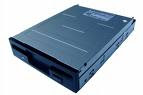
It's not that computers don't have B drives. In initial stage personal computers didn't have hard discs- they were equipped with two floppy drives called drives A and B. Later, a hard disk was introduced and was labelled as C drive. Other drives like CD drive, DVD drive, flash drive and others were labelled D, E etc. If you have a computer having two floppy drives, then they are called A drive and B drive.
Via My Newspaper
Have thought this before?

It's not that computers don't have B drives. In initial stage personal computers didn't have hard discs- they were equipped with two floppy drives called drives A and B. Later, a hard disk was introduced and was labelled as C drive. Other drives like CD drive, DVD drive, flash drive and others were labelled D, E etc. If you have a computer having two floppy drives, then they are called A drive and B drive.

It's not that computers don't have B drives. In initial stage personal computers didn't have hard discs- they were equipped with two floppy drives called drives A and B. Later, a hard disk was introduced and was labelled as C drive. Other drives like CD drive, DVD drive, flash drive and others were labelled D, E etc. If you have a computer having two floppy drives, then they are called A drive and B drive.
Via My Newspaper